
Why Certificate Warnings Are Hard to Diagnose
You hit an internal service and the browser pops "certificate not trusted." The dialog offers only a conclusion: maybe self-signed, maybe expired, maybe a missing intermediate. It won't say which certificate, or where in the chain the break sits. That is the real problem for ops and forensics folks — you know it is untrusted, but not why.
To answer why, go back to the capture itself. During the plaintext part of a TLS handshake the server sends its certificate, so a capture containing the handshake usually carries the certificate material you need. The question is how to organize those scattered certs into a chain and spot the broken link. That is the job of a certificate chain analyzer: reconstruct the issuer→subject relationships into a tree so the break reveals itself.
PcapDecoder's forensic visualization card builds this into two views — a certificate validity Gantt and a certificate chain tree — plus a chain-verification reference line. Below is the order to work in: time first, then relationships, then verification. At each step: where to click, what to read, what conclusion to draw.
Start with the Validity Gantt
Open a capture, switch to the stats page, and find the forensic visualization area. Begin with the certificate validity Gantt. It draws every extracted certificate as a horizontal bar: the bar starts at notBefore (issue time) and ends at notAfter (expiry). Certificates stack vertically against one shared time axis, so lengths and positions compare at a glance.
Three reference lines make this chart useful. Two mark the capture window — the first and last packet times — and one marks the current time, for judging whether a cert is still valid today. Bar color reflects validity status: expired, valid, or unparseable. Self-signed certificates get a distinct hatched gradient plus a small corner chip.
Look for two problems. First, an expired leaf: a bar that ends before the current-time line means that certificate is expired as of today — the most common cause of browser warnings. Second, a time mismatch: a bar that does not overlap the capture window at all means the cert captured then differs from the state you are seeing now; don't conflate the two moments.
The decision order matters too. If notAfter cannot be parsed, the cert is classed as "unknown," not "valid." Only a notAfter earlier than now is "expired." So a grey placeholder does not mean "fine" — it means "can't tell," and you need another source of evidence.
Then Read the Certificate Chain Tree
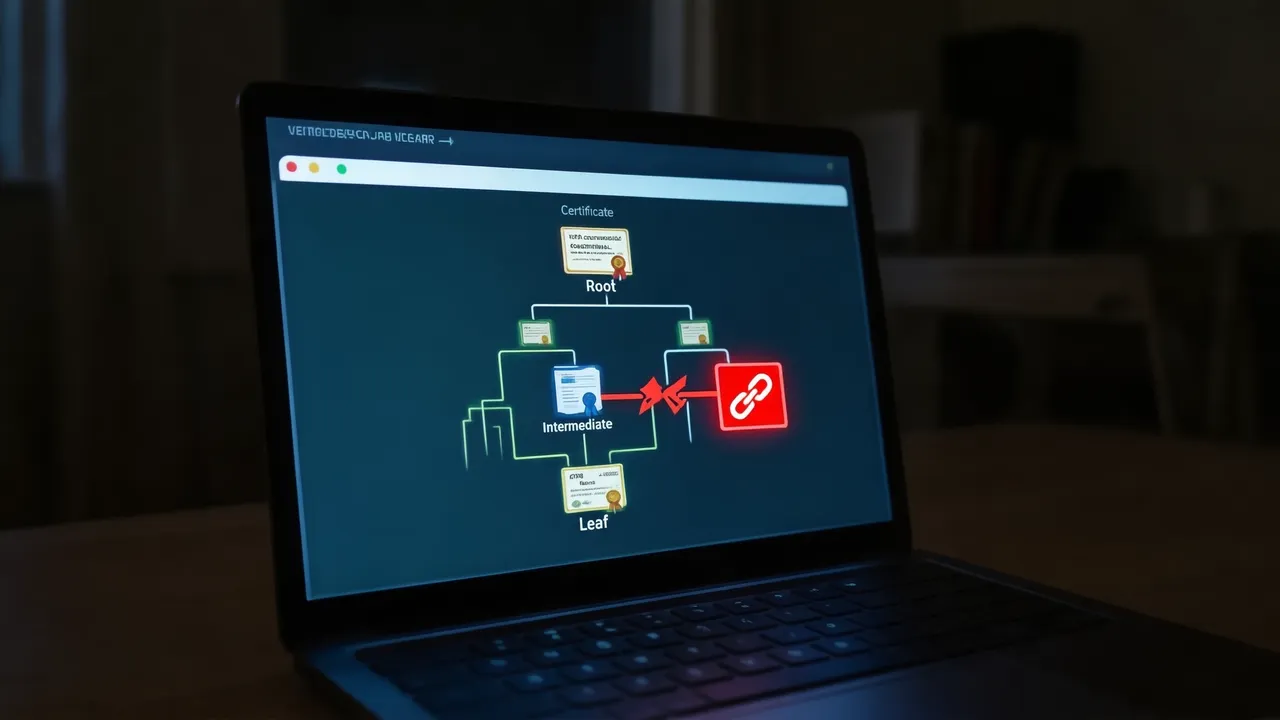
Once you have the time dimension, switch to the chain tree in the same card. This is the core view. It does something simple: groups certificates by issuer→subject — when cert A's issuer equals cert B's subject, hang A under B — and expands the layers into a tree.
Read from root to leaf. The root uses a dot marker; children use indentation and connector lines; each certificate shows its subject CN in a monospace font for easy domain comparison. A healthy chain runs root → intermediate → leaf in three unbroken tiers, with the leaf's subject being the site you actually visited.
Two markers point straight at the usual breaks:
A dangling issuer is flagged "unverified." If a certificate's issuer has no matching certificate in the capture — the intermediate wasn't sent with the handshake — the root of that tree carries an "unverified" chip. It says: the chain breaks here, the missing link is upstream, and the leaf itself may be fine. An internal service configured with only the leaf and missing the intermediate is the classic cause.
Self-signed is flagged "self-signed." When a certificate's subject equals its issuer, the tree adds a "self-signed" chip. A self-signed cert sits on no public trust chain, so the browser's "untrusted" warning is expected — a trust-configuration issue, not a damaged certificate.
One more practical point: every root is listed. If the capture holds more than one chain — say several services were contacted — the tree shows all of them, not just the first. Don't fixate on tree number one; the warning may come from the chain you skipped.
Confirm with the Verification Line
Above the tree sits a single chain-verification summary from the engine, presented as read-only reference. When the engine actually checked the chain (chainChecked greater than zero), it reports how many chains verified and how many failed; if the failed count exceeds zero, the line is highlighted in the error color to flag a verification problem.
This line is a reference, not the final judge. It compresses the engine's bulk verification into one number for a quick "is this chain clean at all" read. Pinpointing which certificate and which link failed is still the tree and the Gantt. The number tells you there is a problem; the views tell you where.
So read views first, number second: see an "unverified" chip in the tree, then check whether the failed count is above zero, and the two agreeing lets you call it "incomplete chain due to a missing intermediate." If the tree looks intact but verification fails, check expiry or the trust anchor instead.
A Triage Order for an Internal Cert Warning
Chain the steps together and an internal-service certificate warning goes like this:
- Open the capture, switch to the forensic visualization card on the stats page, and confirm certificate material was extracted.
- Read the validity Gantt — first look for any bar ending before the current-time line (expired leaf), then check for bars that miss the capture window entirely.
- Read the chain tree — walk root to leaf, watching for an "unverified" chip (missing intermediate) and a "self-signed" chip (trust config), and check every tree listed.
- Read the verification line — use the failed count to corroborate the views; a failed count above zero plus an "unverified" chip is essentially an incomplete-chain verdict.
After four steps your answer is no longer a parroted "the browser says untrusted." It is "the leaf certificate is expired" or "the chain is broken by a missing intermediate" — both actionable. The first sends you to certificate renewal; the second to the server's chain configuration.
All of this runs locally; you never need to ship a capture or a certificate off-device to a validation website. For how to read the TLS handshake itself packet by packet, see the article on reading the TLS 1.3 handshake — this one stays focused on the forensic-visualization side of certificate chains.
Related reading: "Reading the TLS 1.3 Handshake" and "Pinpointing a Failed TLS Handshake".